You hit 0 keys yesterday.See the pattern, not the content.
A macOS menu-bar app that totals keyboard and mouse activity. Optional account sync gives you a private dashboard across your Macs. Nothing you type is captured. Just numeric totals.
Free & open source · Apple Silicon & Intel · macOS 13+
A fork of Typing Stats by Guillermo Rauch (@rauchg), extended with mouse & trackpad tracking, a high-resolution timeseries drilldown, and cloud sync by mewc.
Your whole day at the keyboard, at a glance
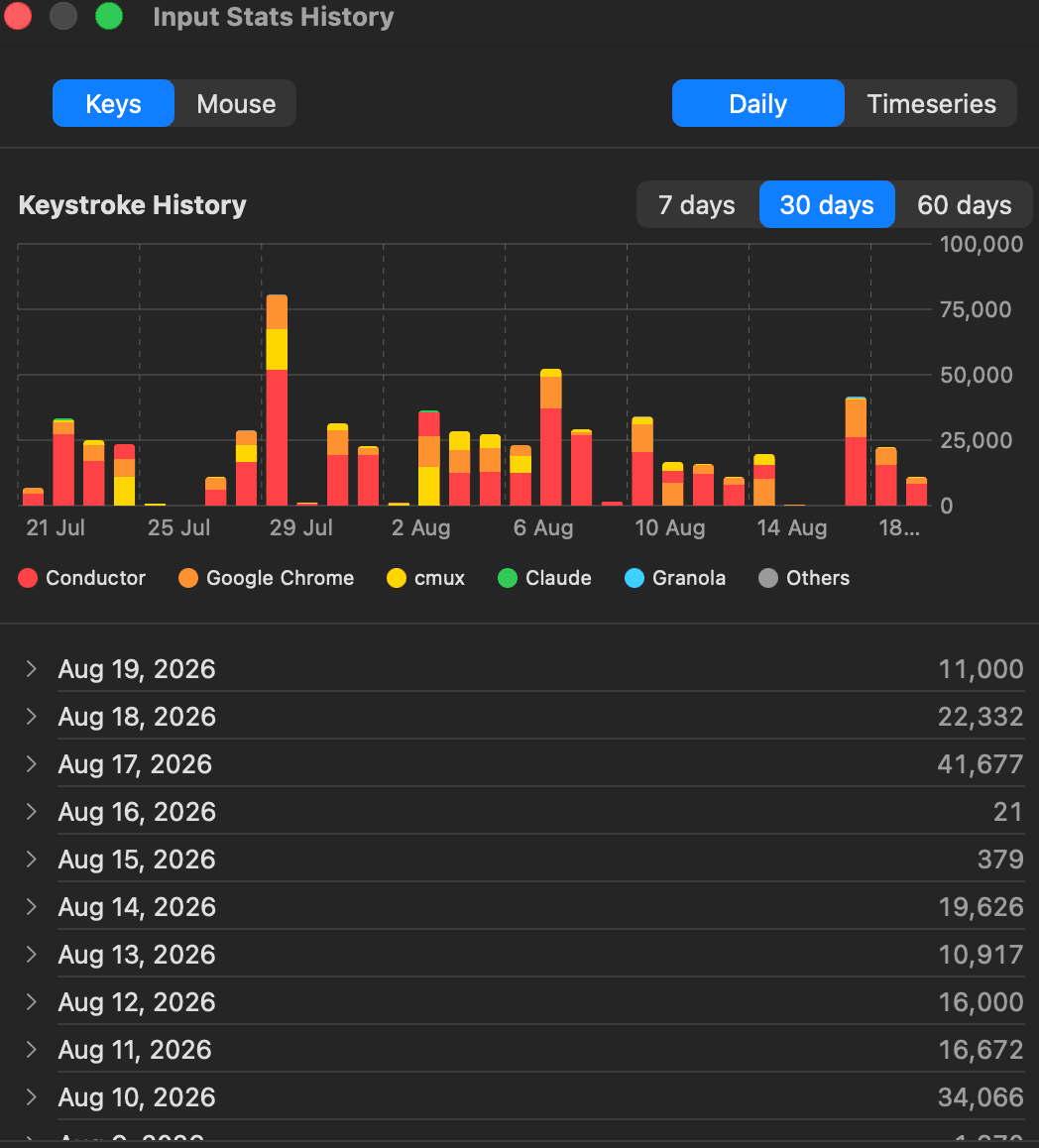
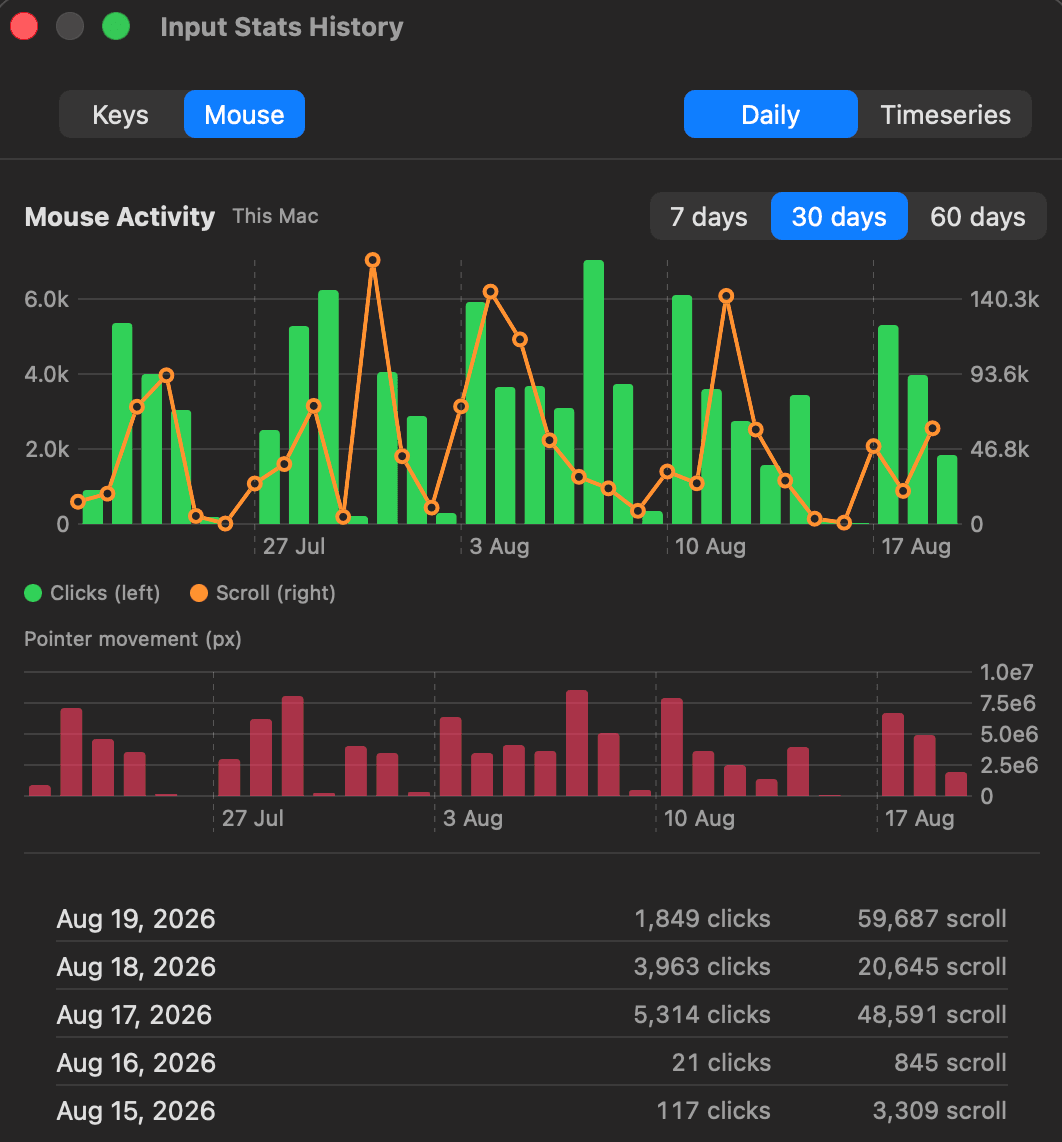
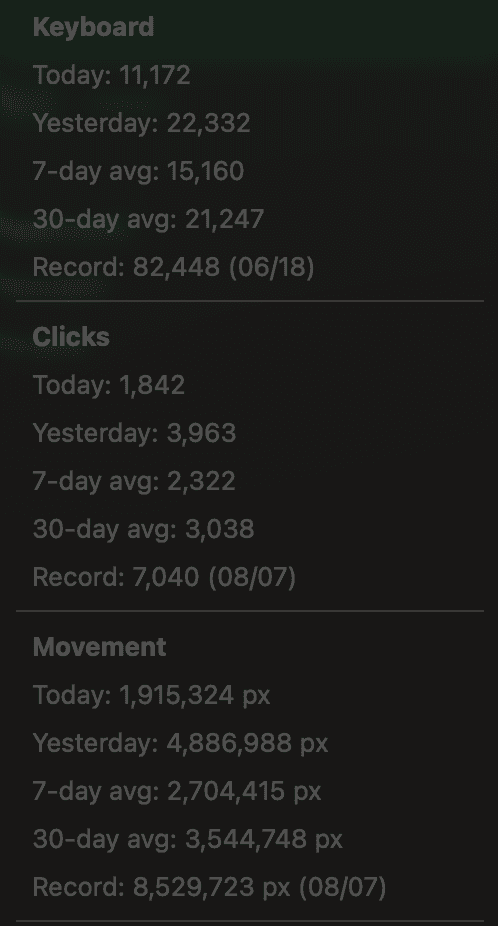
Live totals in the menu bar, deep history in a click. Keys, clicks, scroll and pointer distance — broken down by day and by app.
Keyboard & mouse
Keystrokes, clicks, scroll events and pointer-movement distance — all tracked locally, live in your menu bar.
Per-app breakdown
See which apps you actually spend your keystrokes in, as stacked daily charts with a color per app.
Timeseries drilldown
Zoom from 30 days down to 5-second blocks. Daily bars or high-resolution line charts, your pick.
Multi-device sync
iCloud keeps your Macs in step out of the box. Sign in and your aggregate counts sync to the cloud too.
Private account, public profile
Log in with Google to link your Macs and see your history anywhere. Flip on a shareable profile page with a live stats card if you want to show off.
Counts only, ever
Only per-app, per-interval counts are stored. The keys you press are never recorded, on-device or in the cloud.
Built like a native Mac app
Dark, quiet, and fast. Everything below is real data from a real week.
Sign in once. Your counts follow you.
The cloud companion syncs numeric counts and turns them into a private account dashboard plus de-identified population trends.
Sign in with Google
Open the app, choose “Sign in to Sync,” and authenticate in your browser. That’s the whole setup.
Counts sync securely
Your daily totals push to the cloud over HTTPS, signed with a per-device key. Every Mac stays in sync.
See your private dashboard
Your records and per-app mix stay private to your account. Population charts use coarse, thresholded totals.
A profile page and share card, if you want one.
Off by default. Flip it on and you get a public page at /u/you with your weekly keys, streak, record day, daily rhythm and milestones — plus a live Open Graph card for links, an SVG badge for your README, and an optional spot on the weekly leaderboard.
Keystrokes are never recorded
Input Stats only ever counts. It stores per-app, per-interval totals — never the actual keys you press, on your Mac or in the cloud. Local data lives in SQLite; synced data is just aggregate counts, signed with a per-device key so it can’t be tampered with in transit.
Start counting.
Download the app, or sign in to sync what you’ve already tracked.
brew install --cask mewc/tap/input-stats